
The path, step by step
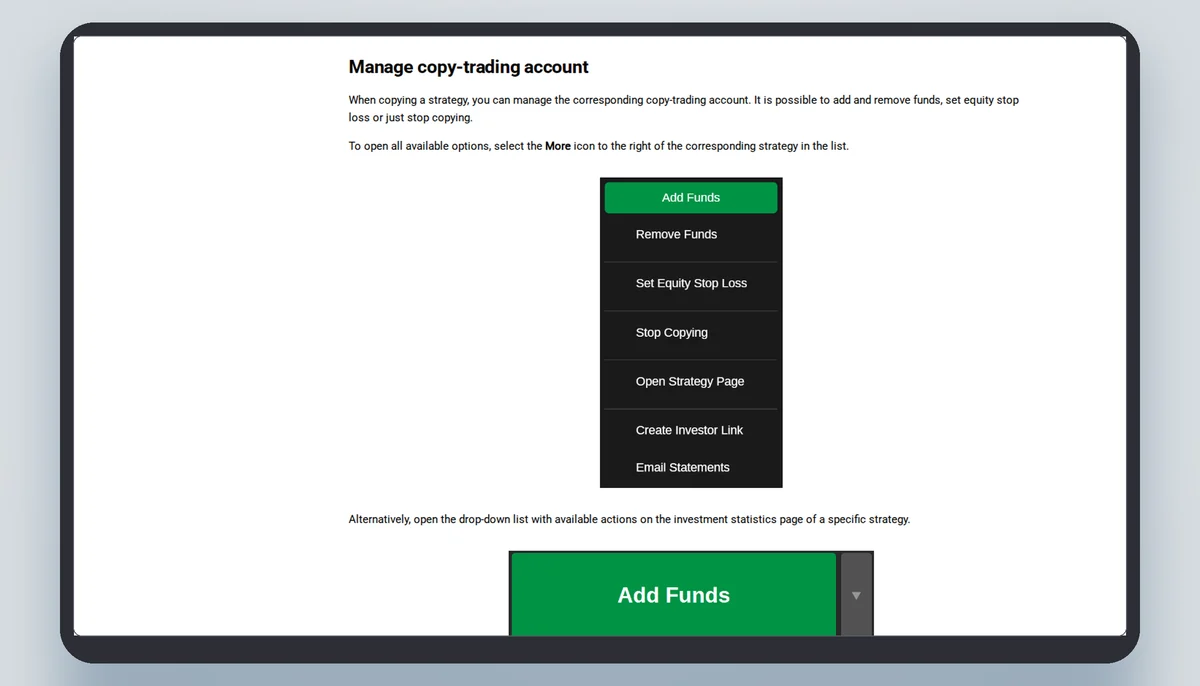
This page follows the help pages of cTrader Copy (help.ctrader.com/ctrader-copy), read on 6 November 2026, from the first account to the last click. Each step carries what the page says at that step, in its words where they matter. Where a page is silent the step says so. A copied trade is a leveraged contract on a price, and the follower's account carries its loss.
Where the path starts
The help pages call the person who copies an investor and the person copied a strategy provider. A strategy, in their definition, is "the set of all trading actions a provider executes on their live trading account, offered to others for copying under set conditions". The investor needs a cTrader ID and an account with a broker that offers cTrader Copy. The brokers page says the same in one line: copying "requires a demo or live hedging account with a broker that offers cTrader Copy".
Which brokers those are is the list this site counted on 6 November 2026: 53 entries, 24 of them with the copy flag the page prints as "Copy available". The page also says that availability depends on local regulations and the broker and may be restricted in some regions, and asks the reader to check with the broker before opening an account.
The 13 steps, with the page's words
Steps are numbered here; the help pages do not number the optional ones. Sources: help.ctrader.com/ctrader-copy/investing-in-strategies and help.ctrader.com/ctrader-copy, read on 6 November 2026.
| Step | What is done | What the page says | Page section |
|---|---|---|---|
| 1 | Create a cTrader ID and a demo or live account | "Once you are logged in with your cTrader ID and you have created a demo or live account, you can start copying strategies as an investor." | Invest in strategies |
| 2 | Check that the account is a hedging account | "Only investors with hedging accounts can copy strategies. Copying is not supported for netting accounts." | Invest in strategies |
| 3 | Check the membership type | A broker assigns full membership (any strategy can be copied) or demo membership (free strategies only). | Invest in strategies |
| 4 | Pick a strategy from the list | The list only includes strategies whose providers are currently trading; it can be searched by name and filtered. | Strategy list and strategy page |
| 5 | Read the fee line on the Start copying button | "Before you start copying a live strategy, check the fee information that can be found on the Start copying button." | Invest in strategies |
| 6 | Choose the account and enter the amount | The amount has to be equal to or higher than the strategy's minimum investment. | Invest in strategies |
| 7 | Confirm the terms and press Start copying | The allocated funds are deposited into a special copy-trading account, a separate account under the same cTID used only for that strategy. | Introduction; Invest in strategies |
| 8 | Existing positions are opened | "All the existing open positions of the strategy will be opened for your copy-trading account with the current market rates." | Introduction |
| 9 | Watch the copy-trading account | The Started status and a green indicator show an active copy; the page of the copied strategy shows how this account has performed. | Invest in strategies |
| 10 | Add funds (optional) | Existing positions can change because sizes are recalculated by the equity-to-equity ratio. | Invest in strategies |
| 11 | Remove funds (optional) | Sizes are recalculated, and a share of unrealised performance and management fees can be realised in proportion to the amount withdrawn. | Invest in strategies |
| 12 | Set an equity stop loss (optional) | When equity drops below the level, copying stops and the positions are closed; the level is not a guaranteed price. | Invest in strategies |
| 13 | Stop copying, or restart | Stopping closes all open positions, charges fees and returns the funds to the main account; a restart asks for the invested volume again. | Invest in strategies |
Three warnings that sit on the path itself
The first is the account type: only hedging accounts can copy. The second is leverage. The page says: "If your account leverage is lower than the strategy provider's leverage, there is a chance that your margin will not be sufficient to copy all the trades of this strategy and you may reach the stop out earlier than the strategy provider." The third is that every change of funds changes the sizes. Adding or removing funds recalculates the positions by the equity-to-equity ratio, and the page warns that "the existing positions can change due to the recalculation of position sizes". The next page sets out that ratio.
A stop out is the broker closing positions because the margin no longer covers them. It is a definition of the term; the pages read give no level at which any broker applies it.
What the path does not show
The fee line is the gap. The pages say the fees of a strategy are shown on the Start copying button, and that button sits inside the application, behind a login. This site therefore prints the caps of the three fees and the help page's worked example, and no fee of any particular strategy. The 20 strategy cards on cTrader's public symbol pages carry a printed return, a minimum investment, a creation date and a small curve, and no fee.
The path also leaves out what happens before the first click: which payment route funds the broker account, and in which currency. That is the subject of a later page, and the answer there is that the pages read are silent.
Demo and live
Demo accounts deal with virtual funds and "can copy only free strategies if allowed by the strategy provider"; live accounts can copy any strategy. So a demo account cannot rehearse a strategy that charges a fee, and a strategy whose provider has not allowed demo copying cannot be tried on one at all. The list can be filtered by demo copying permission.
The brokers page adds a sentence in its questions: "Why don't I see the Start copying button?" The page's answer is that the broker, region or account type may not support that strategy or copy trading in general.
Copying, a signal group and a managed account
Three things are sold as nearly the same and are not. In copying, trades are placed on your account by the platform in proportion to the provider's, and you keep the account. In a signal group, someone tells you what to trade and you place the orders yourself. In a managed account, someone else decides and trades with your money under a mandate. The difference lies in who decides, who places the order and who holds the account. These are plain definitions; this site does not say which of the three any seller in Kenya offers.
In brief
Read next
Questions about the machine and its costs
Does the copy start from the provider's next trade?
No. The help page says that when you start, the existing open positions of the strategy are opened on your copy-trading account at the current market rates, and that the strategy's actions are copied from then on.
Can I copy with a netting account?
The page says only hedging accounts can copy; copying is not supported for netting accounts.
Can I close a copied position myself?
The page says an investor cannot manage or close the positions from the investment profile; all positions are closed at once when copying is stopped.
What if cTrader Copy cannot be reached when I stop?
The page says to contact the broker directly to close the positions manually, provided the broker offers that service.
The broker this site links to
This site links to FxPro, which cTrader's list marks as a copy-enabled broker. A copied trade is a leveraged contract on a price, not ownership of anything. Whether the copy service is open to a resident of Kenya is a question for FxPro.